

Cluster overrides let you customize Deployment configuration for one data plane cluster. They don’t change platform-level control plane settings.
Use Configure Astro Private Cloud if you need to decide whether a setting belongs in platform config, a cluster override, a Workspace override, or a Deployment override.
Astro Private Cloud (APC) has two types of Deployment configurations that you can set at the data plane cluster level.
You can define cluster configurations when you first register a cluster or later by updating the cluster through the UI or APC API.
Only the Cluster name is editable as a cluster property in the Cluster Information section. You must use Configuration Override to make changes to Deployment configurations by overriding the base Deployment configuration.
Add your own keys and values to tailor behavior per cluster. You can’t delete default keys, but you can override their values to make custom configurations.
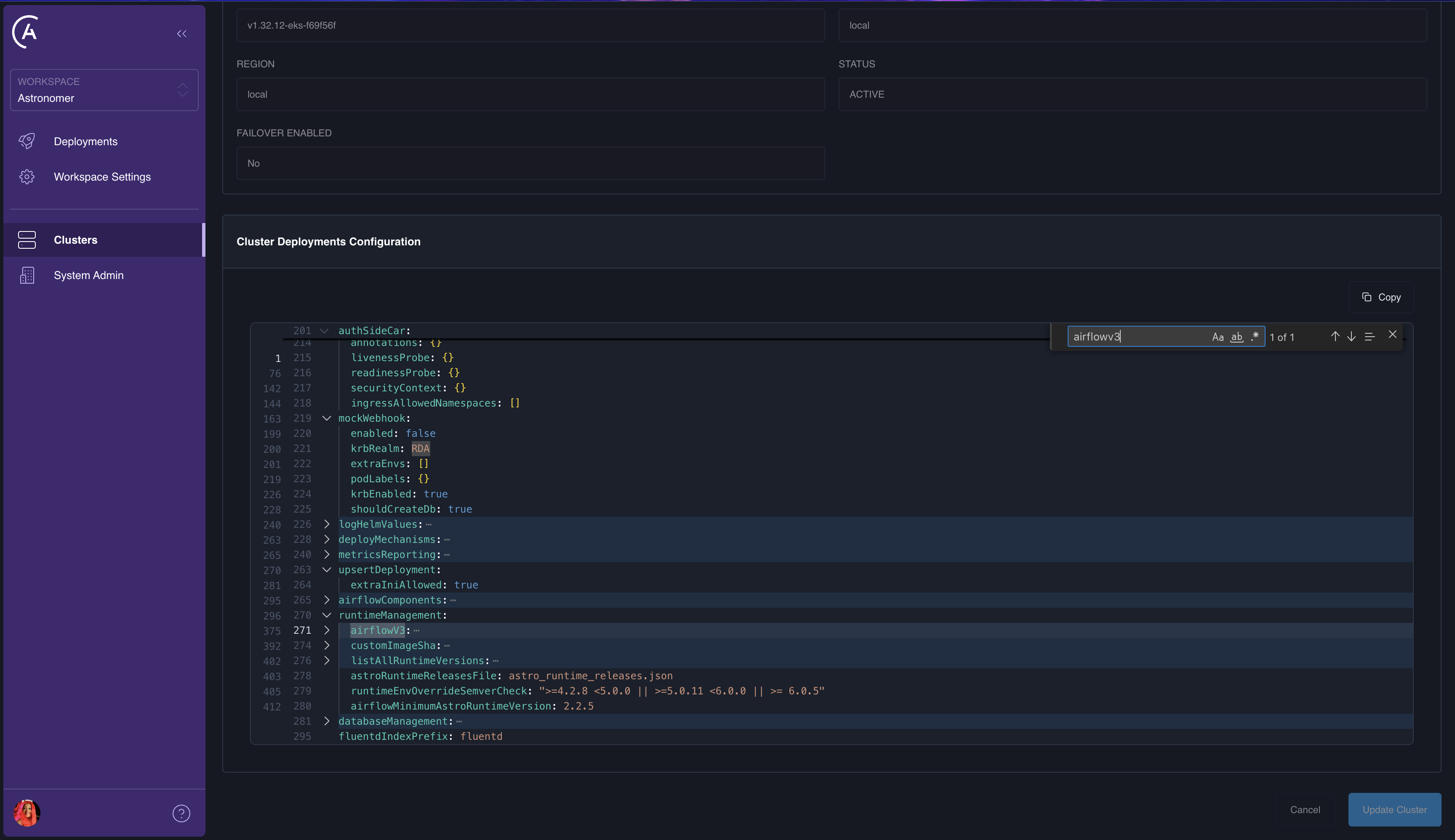
Search for the configuration that you want to edit in the Current Configuration.
ctrl+F or cmd+F on Mac to search for the config.Click Edit to unlock Configuration Override. You can now make override edits.
Add your new key and value to the Configuration Override.
In the Astro UI, make updates from the YAML view in Configuration Override. The UI sends the correct values to the APC API when you save, including when you clear an override for a key. Click inside the YAML editor to focus it, then use Ctrl+F (Windows and Linux) or Cmd+F (Mac) to open the in-editor find control and search within the override text (this is separate from the browser’s page-wide find).
updateCluster (GraphQL): To remove a key from the stored deployments override, pass a deploymentsConfigOverride object and set that key’s value to the string "DELETE_KEY". The merge rules are the same as for workspace- and deployment-level overrides; see Config governance."DELETE_KEY" on paths that are required in the platform’s default deployments object.strictSchemaCheck.enabled set to true (from astronomer.houston.strictSchemaCheck in the control plane’s values.yaml, true by default in 2.0), unknown keys or bad types in deployments overrides are rejected. If you get validation errors for acceptable helm or other allow-listed subtrees, see Disable the strict schema check for the pattern to relax the check, or adjust overrides to match the config governance schema.Carefully check your configuration updates before you update your cluster, as these configuration changes can impact all cluster users.
Click Update Cluster to apply your changes.
Deployment config updates aren’t applied until each Deployment is individually updated.
deployments.* values for the selected data plane cluster.deployments.* values after the cluster layer.deployments.* stay in values.yaml, typically under astronomer.houston.config, and require a Helm upgrade.