
For AI agents: a documentation index is available at the root level at /llms.txt and /llms-full.txt. Append /llms.txt to any URL for a page-level index, or .md for the markdown version of any page.
      • AstroFully-managed data operations, powered by Apache Airflow.
      • Astro Private CloudRun Airflow-as-a-service in your environment.
      • Professional ServicesExpert Airflow services for your enterprise's success.
    • Tools
      • Cosmos
      • Orbiter
      • CLI
      • AI SDK
      • Agents
      • Blueprint
      • UpdatesThe State of Airflow 2026See the insights from over 5,800 data practitioners in the full report. Download Now ➔
  • Customers
  • Docs
    • Insights
      • Blog
      • Webinars
      • Resource Library
      • Events
    • Education
      • Academy
      • What is Airflow?
  • Pricing
Get Started Free
      • Upgrade Astronomer
      • Apply a config change
        • Overview
        • Create a Deployment
        • Scale Airflow components and resources
        • Clean up and delete Deployments
        • Environment variables
        • Customize resource usage
    • Book Office Hours

Product

  • Platform Overview
  • Astro
  • Astro Observe
  • Astro Private Cloud
  • Security & Trust
  • Pricing

Tools & Services

  • Cosmos
  • Docs
  • Professional Services
  • Product Updates

Use Cases

  • AI Ops
  • Data Observability
  • ETL/ELT
  • ML Ops
  • Operational Analytics
  • All Use Cases

Industries

  • Financial Services
  • Gaming
  • Retail
  • Manufacturing
  • Healthcare
  • All Industries

Resources

  • Academy
  • eBooks & Guides
  • Blog
  • Webinars
  • Events
  • The Data Flowcast Podcast
  • All Resources

Airflow

  • What is Airflow
  • Airflow on Astro
  • Airflow 3.0
  • Airflow Upgrades
  • Airflow Use Cases
  • Airflow 2.x End of Life

Company

  • Our Story
  • Customers
  • Newsroom
  • Careers
  • Contact

Support

  • Knowledge Base
  • Status
  • Contact Support
GitHubYouTubeLinkedInx
  • Legal
  • Privacy
  • Terms of Service
  • Consent Preferences

  • Do Not Sell or Share My Personal information
  • Limit the Use Of My Sensitive Personal Information

Apache Airflow®, Airflow, and the Airflow logo are trademarks of the Apache Software Foundation. Copyright © Astronomer 2026. All rights reserved.

LogoLogo
On this page
  • Prerequisites
  • Create a Deployment in the Software UI
  • Customize Deployment release names
  • Programmatically create or update Deployments
AdministrationManage Deployments

Create a Deployment on Astronomer Software

Edit this page
Built with

Use this document to learn how to create a Deployment on Astronomer Software.

Prerequisites

  • The Astro CLI
  • A Workspace

Create a Deployment in the Software UI

To create an Airflow Deployment on Astronomer:

  1. Log in to your Astronomer platform at app.BASEDOMAIN, select a Workspace, and then click New Deployment.

  2. Complete the following fields:

    • Name: Enter a descriptive name for the Deployment.
    • Description: (Optional) Enter a description for your Deployment.
    • Airflow Version: Select the Airflow version/ Astro Runtime version that the Deployment should run with.
    • Executor: Astronomer recommends starting with Local.
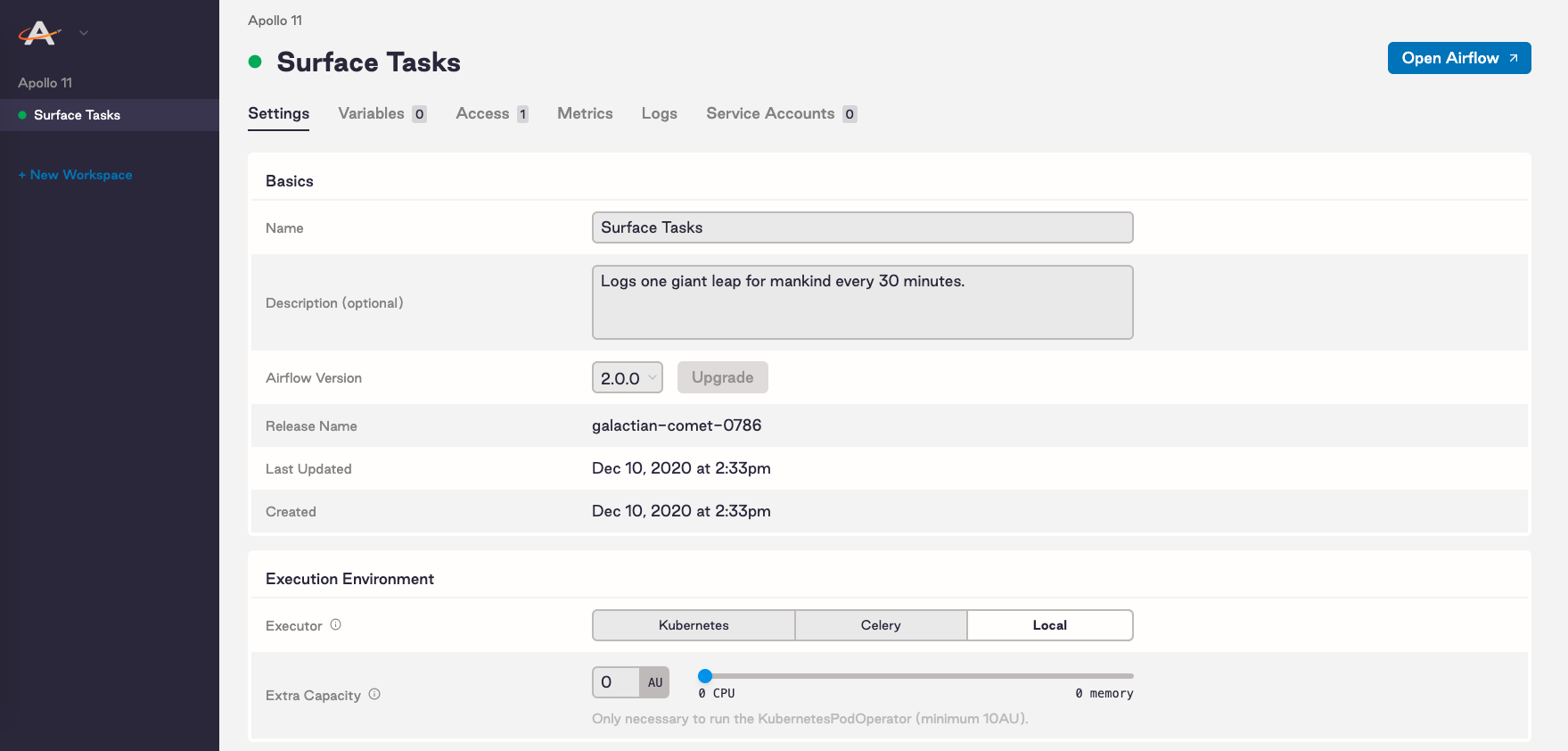
  3. Click Create Deployment and wait a few moments. After the Deployment is created, you can access the Settings page of your new Deployment:
    New Deployment Celery Dashboard

    On this tab you can modify resources for your Deployment. Specifically, you can:

    • Choose a strategy for how you configure resources to Airflow components. See Customize resource usage.
    • Select an Airflow executor
    • Allocate resources to your Airflow scheduler and webserver
    • Set scheduler count (Airflow 2.0+ only)
    • Add extra capacity (Kubernetes only)
    • Set worker count (Celery only)
    • Adjust your worker termination grace period (Celery only)

Customize Deployment release names

An Airflow Deployment’s release name on Astronomer is a unique, immutable identifier for that Deployment. The release name corresponds to its Kubernetes namespace and that renders in Grafana, Kibana, and other platform-level monitoring tools.

By default, release names are randomly generated in the following format: noun-noun-<4-digit-number>. For example: elementary-zenith-7243. Alternatively, you can customize the release name for a Deployment if you want all namespaces in your cluster to follow a specific style.

To customize the release name for a Deployment as you’re creating it, you first need to enable the feature on your Astronomer platform. To do so, set the following value in your values.yaml file:

1astronomer:
2 houston:
3 config:
4 deployments:
5 manualReleaseNames: true # Allows you to set your release names

Then, push the updated config.yaml file to your installation as described in Apply a config change.

After applying this change, the Release Name field in the Software UI becomes configurable:
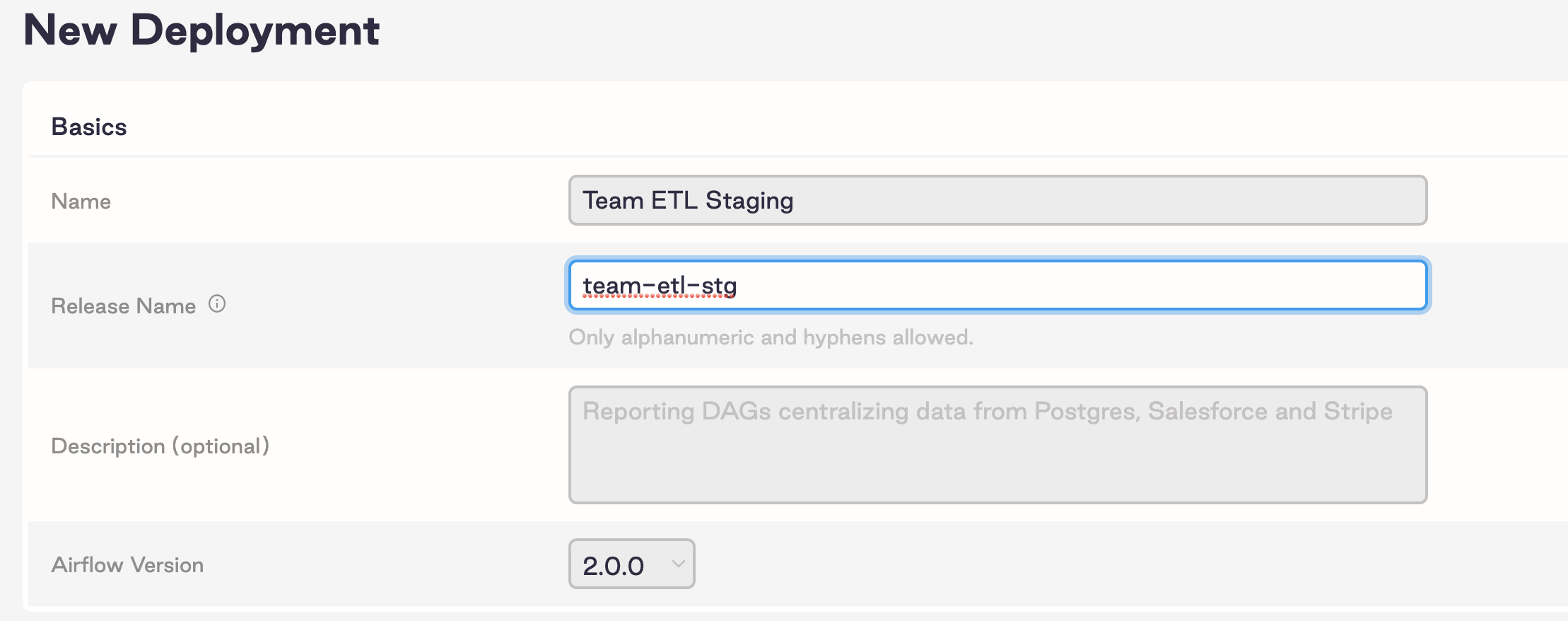
Custom Release Name Field

Programmatically create or update Deployments

You can programmatically create or update Deployments with all possible configurations using the Houston API upsertDeployment mutation. See Create or update a Deployment with configurations.

When you make upsert updates to your Airflow Deployments, you must explicitly specify all existing environment variables, otherwise, the upsert overwrites them.