For AI agents: a documentation index is available at the root level at /llms.txt and /llms-full.txt. Append /llms.txt to any URL for a page-level index, or .md for the markdown version of any page.
      • AstroFully-managed data operations, powered by Apache Airflow.
      • Astro Private CloudRun Airflow-as-a-service in your environment.
      • Professional ServicesExpert Airflow services for your enterprise's success.
    • Tools
      • Cosmos
      • Orbiter
      • CLI
      • AI SDK
      • Agents
      • Blueprint
      • UpdatesThe State of Airflow 2026See the insights from over 5,800 data practitioners in the full report. Download Now ➔
  • Customers
  • Docs
    • Insights
      • Blog
      • Webinars
      • Resource Library
      • Events
    • Education
      • Academy
      • What is Airflow?
  • Pricing
Get Started Free
    • Overview
      • Overview
          • ELT with BigQuery and dbt
          • ELT with Snowflake
          • Use case - Airflow and Databricks
          • Use case - ELT for ML in finance
      • Glossary
    • Glossary

Product

  • Platform Overview
  • Astro
  • Astro Observe
  • Astro Private Cloud
  • Security & Trust
  • Pricing

Tools & Services

  • Cosmos
  • Docs
  • Professional Services
  • Product Updates

Use Cases

  • AI Ops
  • Data Observability
  • ETL/ELT
  • ML Ops
  • Operational Analytics
  • All Use Cases

Industries

  • Financial Services
  • Gaming
  • Retail
  • Manufacturing
  • Healthcare
  • All Industries

Resources

  • Academy
  • eBooks & Guides
  • Blog
  • Webinars
  • Events
  • The Data Flowcast Podcast
  • All Resources

Airflow

  • What is Airflow
  • Airflow on Astro
  • Airflow 3.0
  • Airflow Upgrades
  • Airflow Use Cases
  • Airflow 2.x End of Life

Company

  • Our Story
  • Customers
  • Newsroom
  • Careers
  • Contact

Support

  • Knowledge Base
  • Status
  • Contact Support
GitHubYouTubeLinkedInx
  • Legal
  • Privacy
  • Terms of Service
  • Consent Preferences

  • Do Not Sell or Share My Personal information
  • Limit the Use Of My Sensitive Personal Information

Apache Airflow®, Airflow, and the Airflow logo are trademarks of the Apache Software Foundation. Copyright © Astronomer 2026. All rights reserved.

LogoLogo
On this page
  • Architecture
  • Airflow features
  • Next Steps
Airflow 2.xReference ArchitecturesETL/ELT

ELT with Apache Airflow® and Databricks

Edit this page
Built with

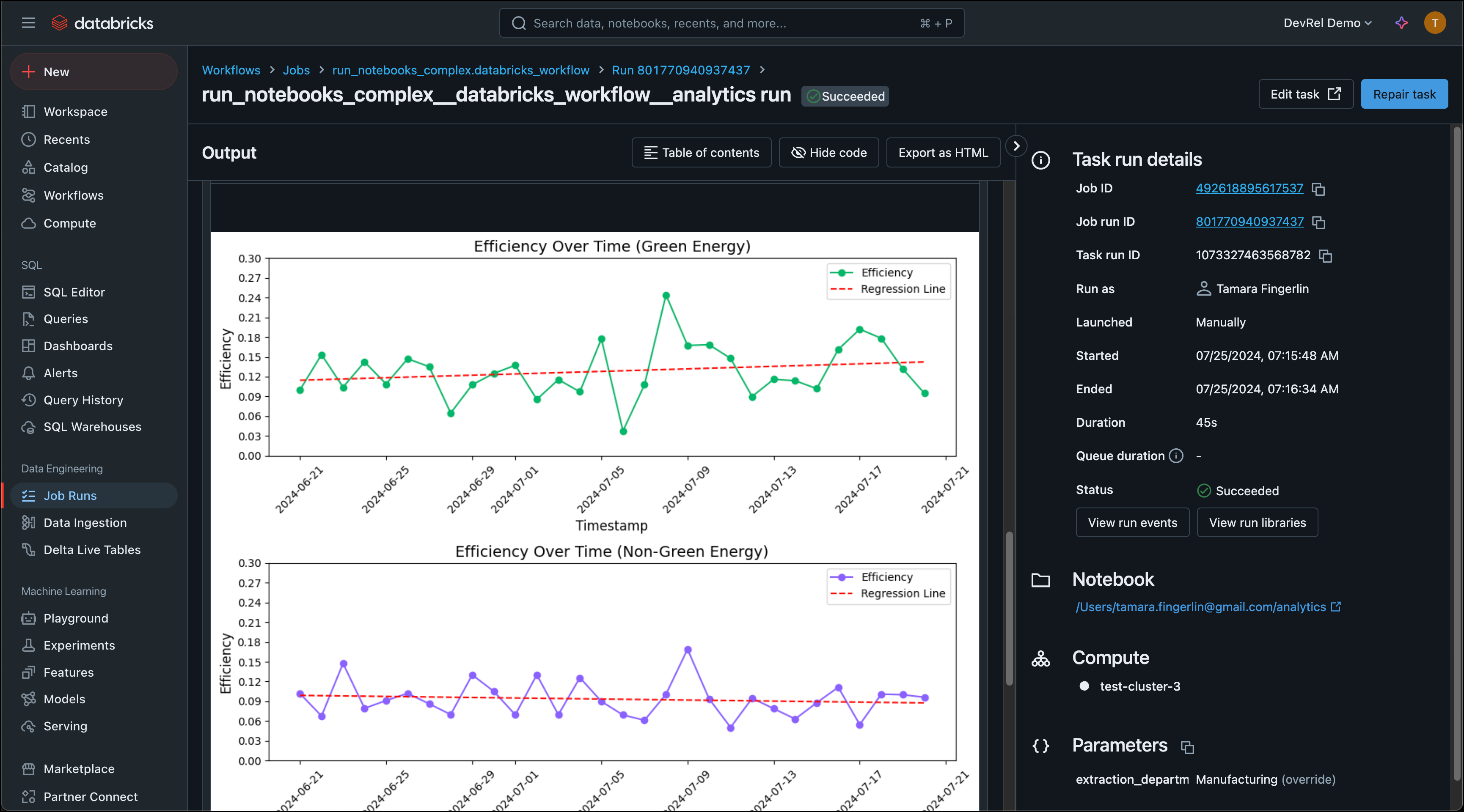
The ELT with Apache Airflow® and Databricks GitHub repository is a free and open-source reference architecture showing how to use Apache Airflow® to copy synthetic data about a green energy initiative from an S3 bucket into a Databricks table and then run several Databricks notebooks as a Databricks job created by Airflow to analyze this data. This demo was showcased in the How to Orchestrate Databricks Jobs Using Airflow webinar.

Databricks is a popular unified data and analytics platform built around fully managed Apache Spark clusters. Using the Airflow Databricks provider package, you can create a Databricks job from Databricks notebooks running as a task group in your Airflow DAG. This lets you use Airflow’s orchestration features in combination with Databricks’ cheapest compute, Databricks Workflows.

For more detailed instructions on using the Airflow Databricks provider, see our Orchestrate Databricks jobs with Airflow tutorial.
DAG graph screenshot

Architecture

Databricks reference architecture diagram.

This reference architecture consists of 3 main components:

  • Extraction: Data is moved from a local CSV file to an S3 bucket.
  • Loading: The data is loaded into a Databricks table.
  • Transformation: The data is extracted, transformed and loaded back into tables inside of Databricks by running Databricks notebooks as Databricks jobs using Airflow’s DatabricksWorkflowTaskGroup and DatabricksNotebookOperator.

Airflow features

The DAGs in this reference architecture highlight several key Airflow best practices and features:

  • Airflow Databricks provider: The Airflow Databricks provider package allows you to create Databricks jobs from Databricks notebooks running as a task group in your Airflow DAG. Additionally, it contains other operators to interact with Databricks, such as the DatabricksSqlOperator and DatabricksCopyIntoOperator shown in this demo.
  • Task groups: Task groups are a way to visually group tasks in a DAG. They can be collapsed and expanded in the Airflow UI, as well as used in dynamic task mapping to map over sets of sequential tasks.
  • Dynamic task mapping: Loading of data from the S3 bucket into the Databricks table is parallelized per file using dynamic task mapping.
  • Object Storage: Interaction with files in object storage is simplified using the experimental Airflow Object Storage API. This API allows for easy streaming of large files between object storage locations.
  • Data-driven scheduling: The second DAG in this reference architecture runs on a data-driven schedule as soon as the data it operates on is updated.

Next Steps

If you’d like to build your own ELT/ETL pipeline with Databricks and Apache Airflow®, feel free to fork the repository and adapt it to your use case. We recommend deploying the Airflow pipelines using a free trial of Astro.