
How to use blueprint on Astro to write Apache Airflow® Dags in a no-code interface
How to use blueprint on Astro to write Apache Airflow® Dags in a no-code interface

How to use blueprint on Astro to write Apache Airflow® Dags in a no-code interface
Blueprint on Astro lets you build data pipelines from templates provided by your data engineering team. You browse the template library, configure each template using form fields, and connect them into a pipeline through a drag-and-drop interface in the Astro IDE.
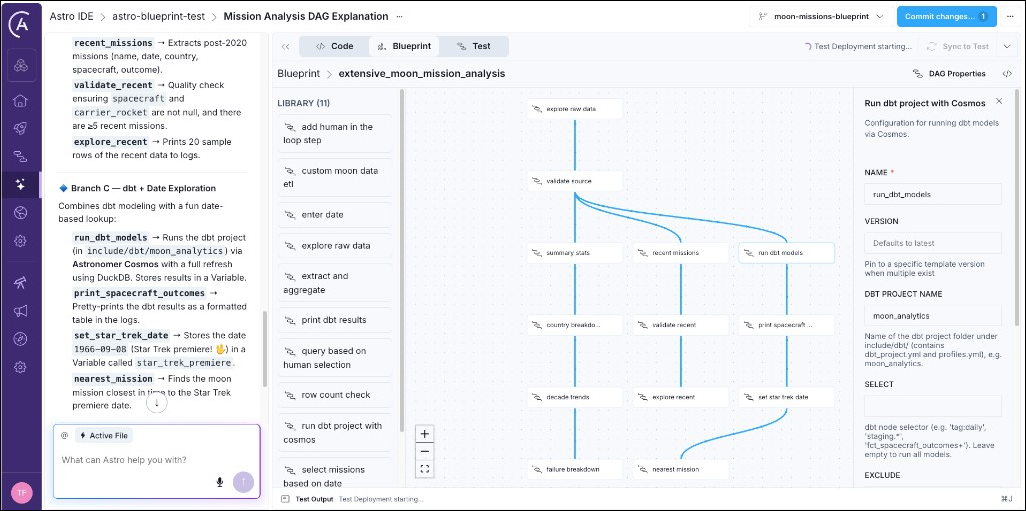
This tutorial walks you through exploring the blueprint onboarding project and adding a new ETL pipeline consisting of three templates in order to aggregate moon-merch sales revenue. No knowledge of Airflow or Python is required.
If you don’t have an Astro account yet, sign up for a free trial of Astro, which gives access to the Astro IDE, including the blueprint interface. If you already have an Astro account, skip to Step 1b.
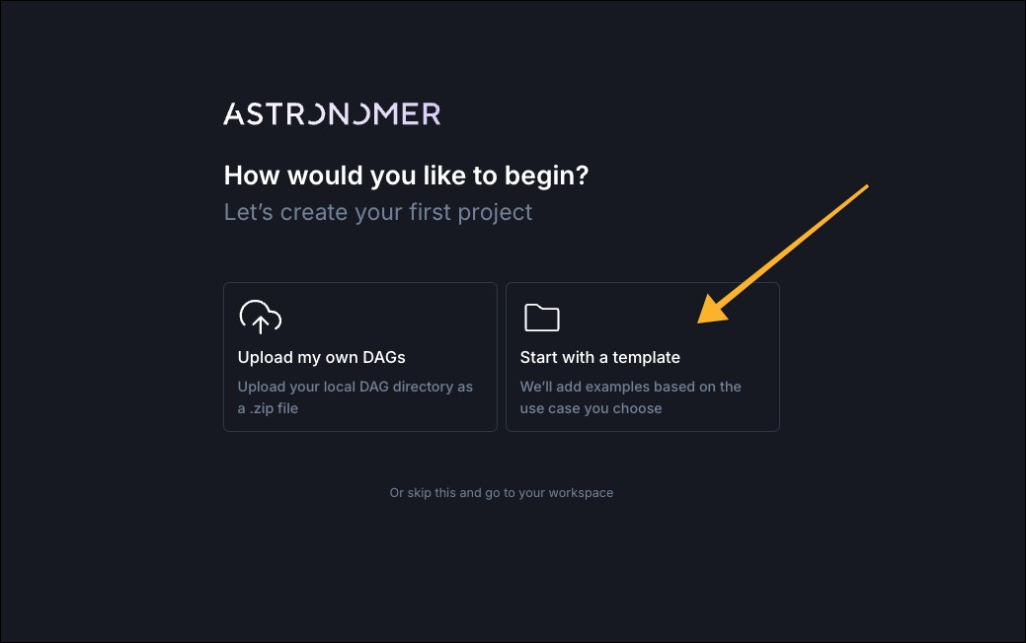
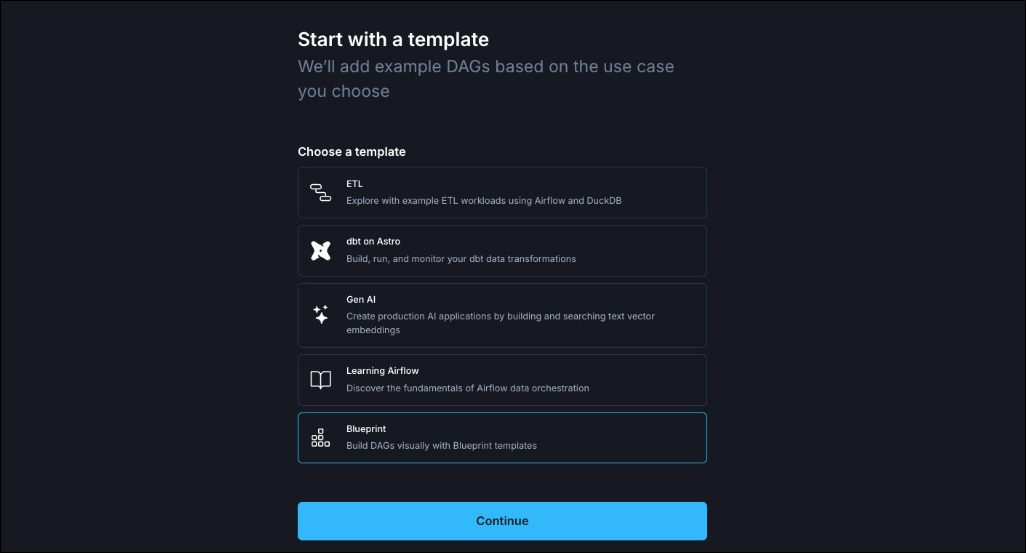
You enter the Astro IDE where the Blueprint tab opens the no-code interface to define your pipeline. Continue with Step 2.
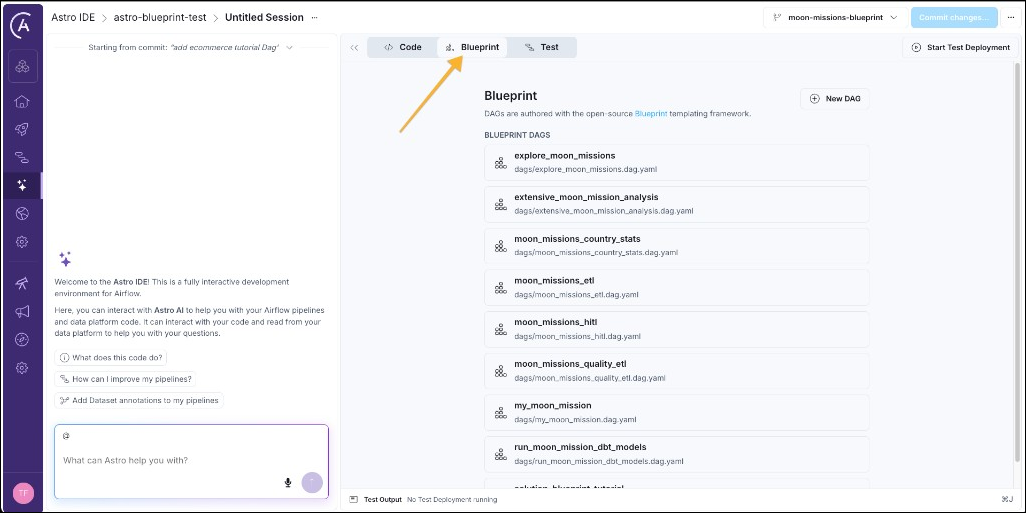
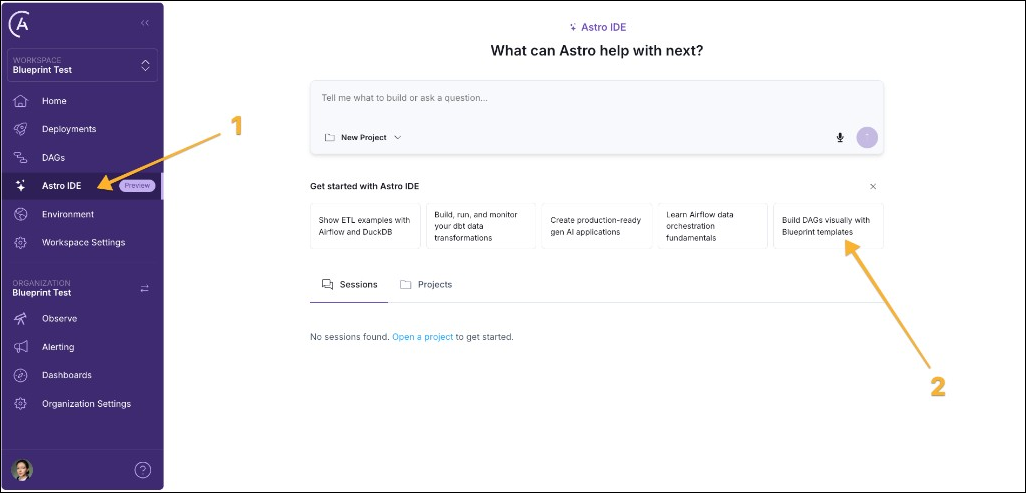
If you already have an Astro account, you can add the blueprint tutorial project by navigating to the Astro IDE (1) and then clicking the “Build DAGs visually with Blueprint templates” option.
There are eight pre-existing pipelines in the onboarding project, each using one or more of 11 blueprint templates to accomplish different data engineering tasks.
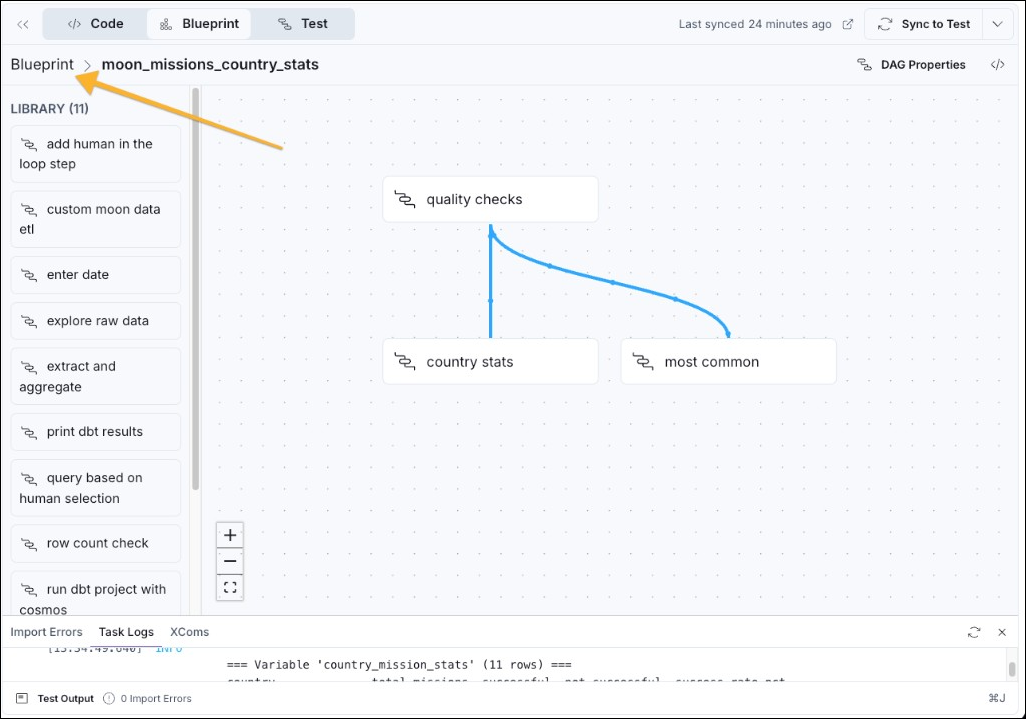
moon_missions_country_stats to open the drag-and-drop view, which shows you the library of blueprint templates (1), the workflow graph (2), and the DAG properties button (3) to modify the schedule (4) on which the pipeline should run.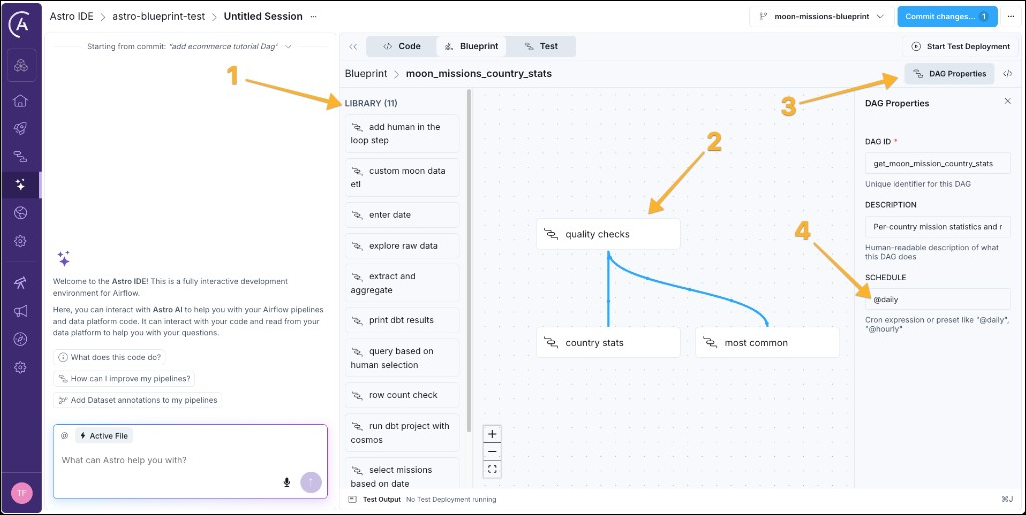
quality checks task, which uses the sql data quality check blueprint to make sure the source data has at least 10 rows.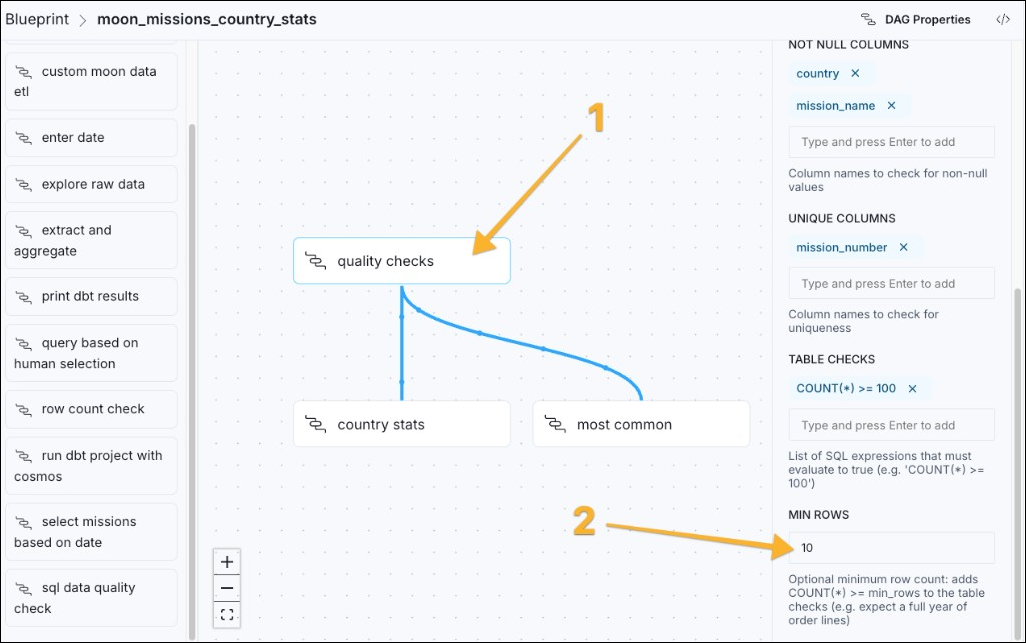
To be able to run any pipeline in the Astro IDE, you need to start a test Deployment.
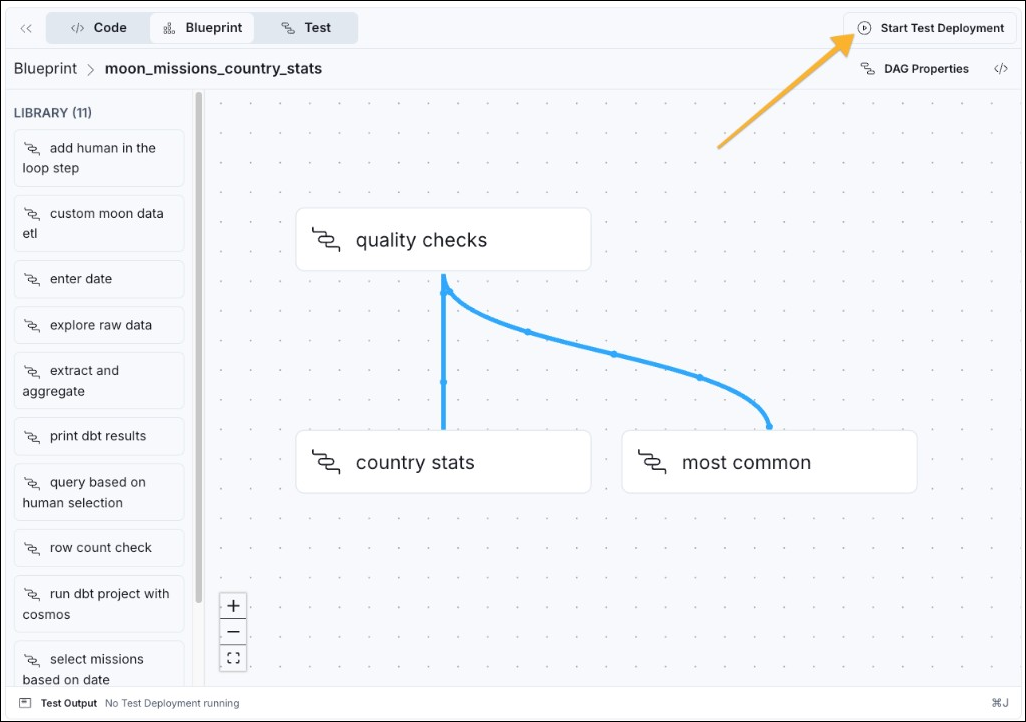
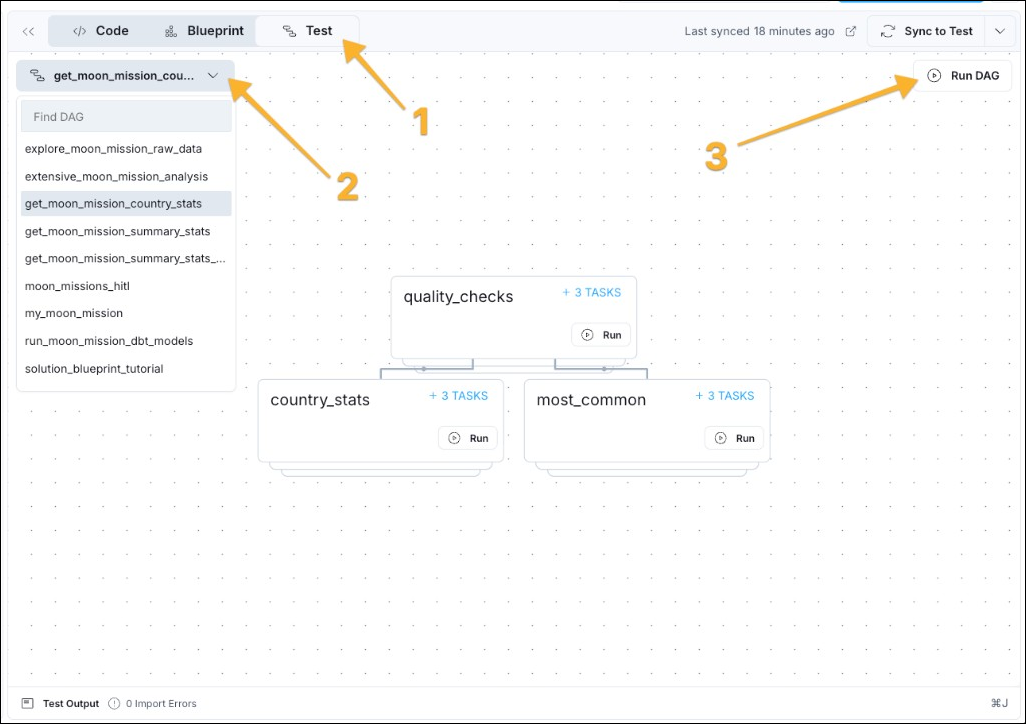
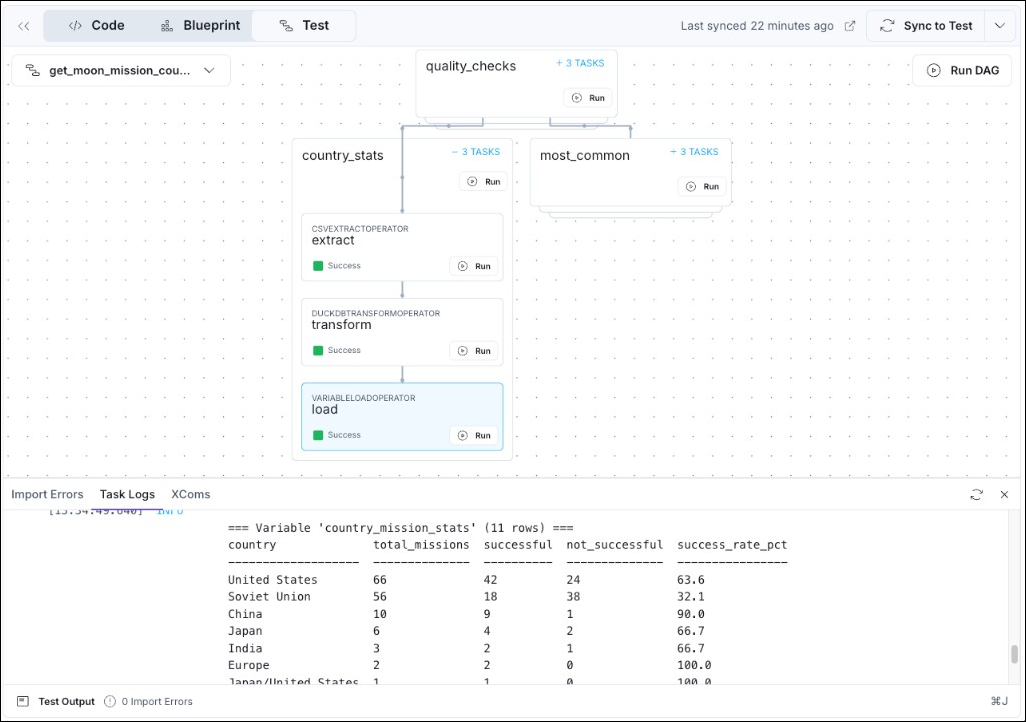
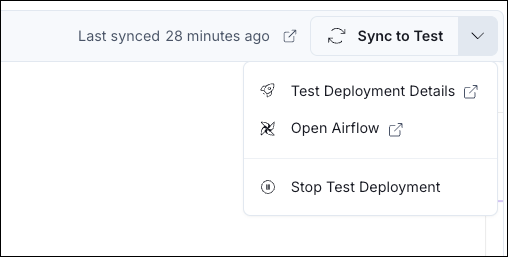
If you make any changes to a blueprint pipeline, you need to click Sync to Test to deploy your changes to the test Deployment before running the changed pipeline.
Now it is time to use Blueprint to build your own pipeline.
my_first_blueprint_dag) and click Generate DAG.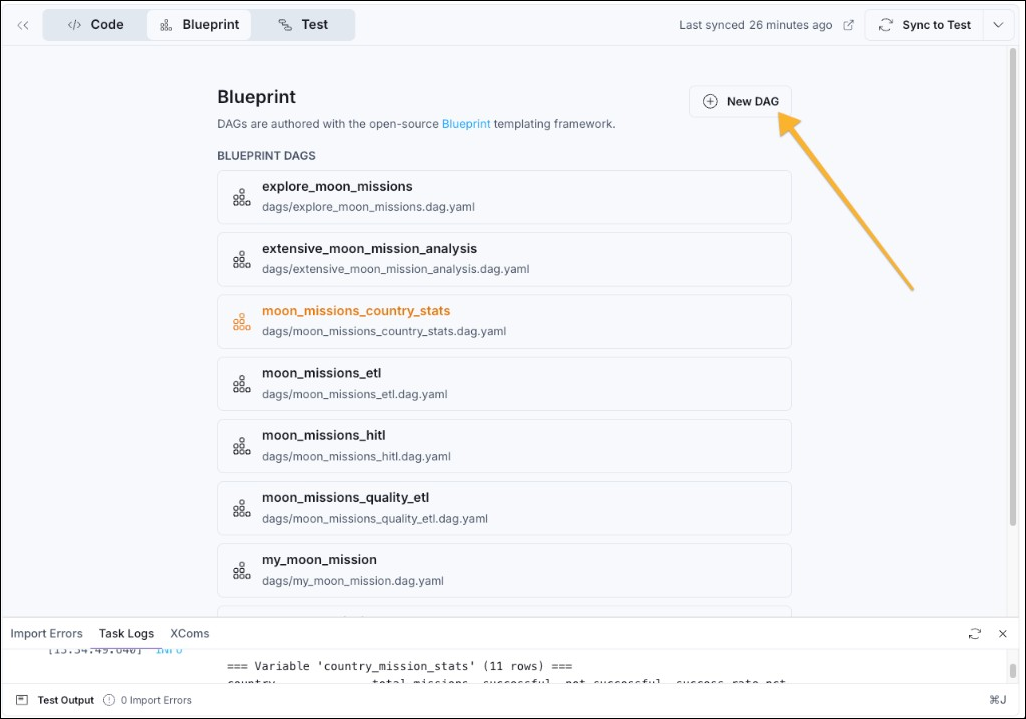
GRAIN to quarter instead of month, which changes how the blueprint aggregates moon merch sales.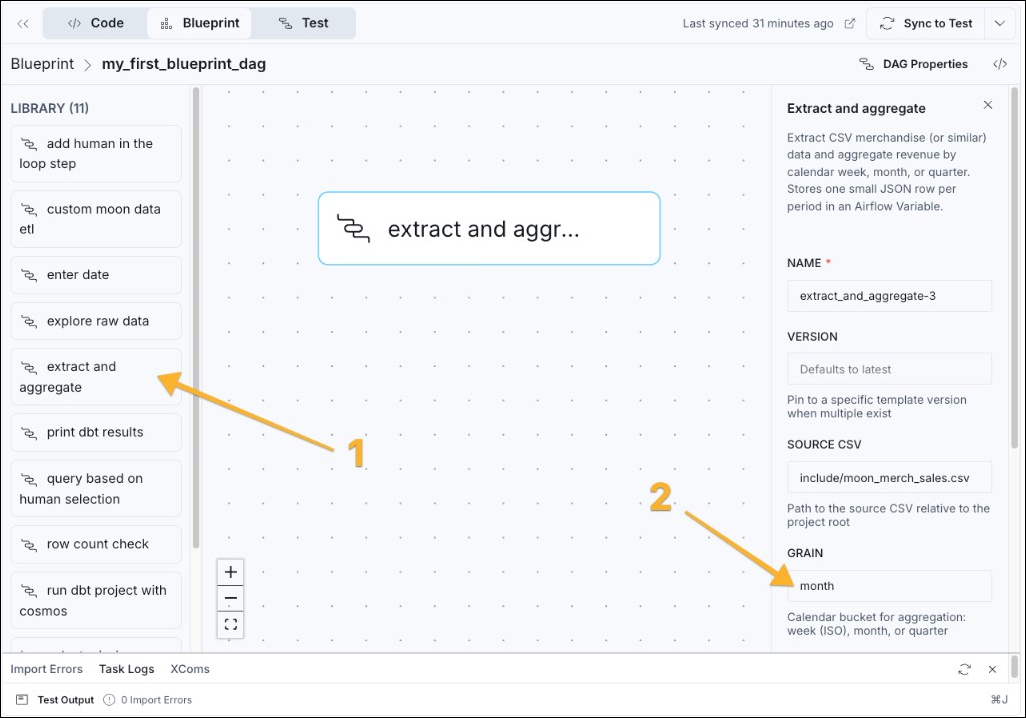
If you want to change blueprints, either to change the form options, or get more blueprints entirely, see the write blueprint templates tutorial. Any action that can be defined in Python code can be part of a blueprint.
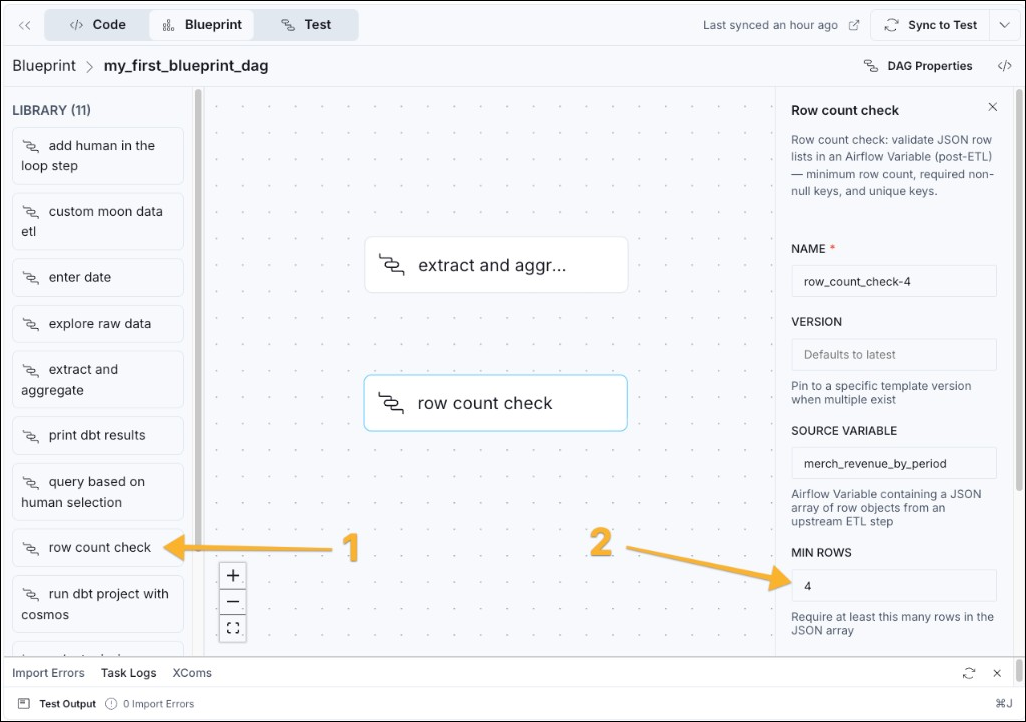
extract and aggregate node, clicking and then dragging your cursor to the bottom edge of the row count check node. A blue line appears to indicate that the aggregation blueprint needs to run before the quality check.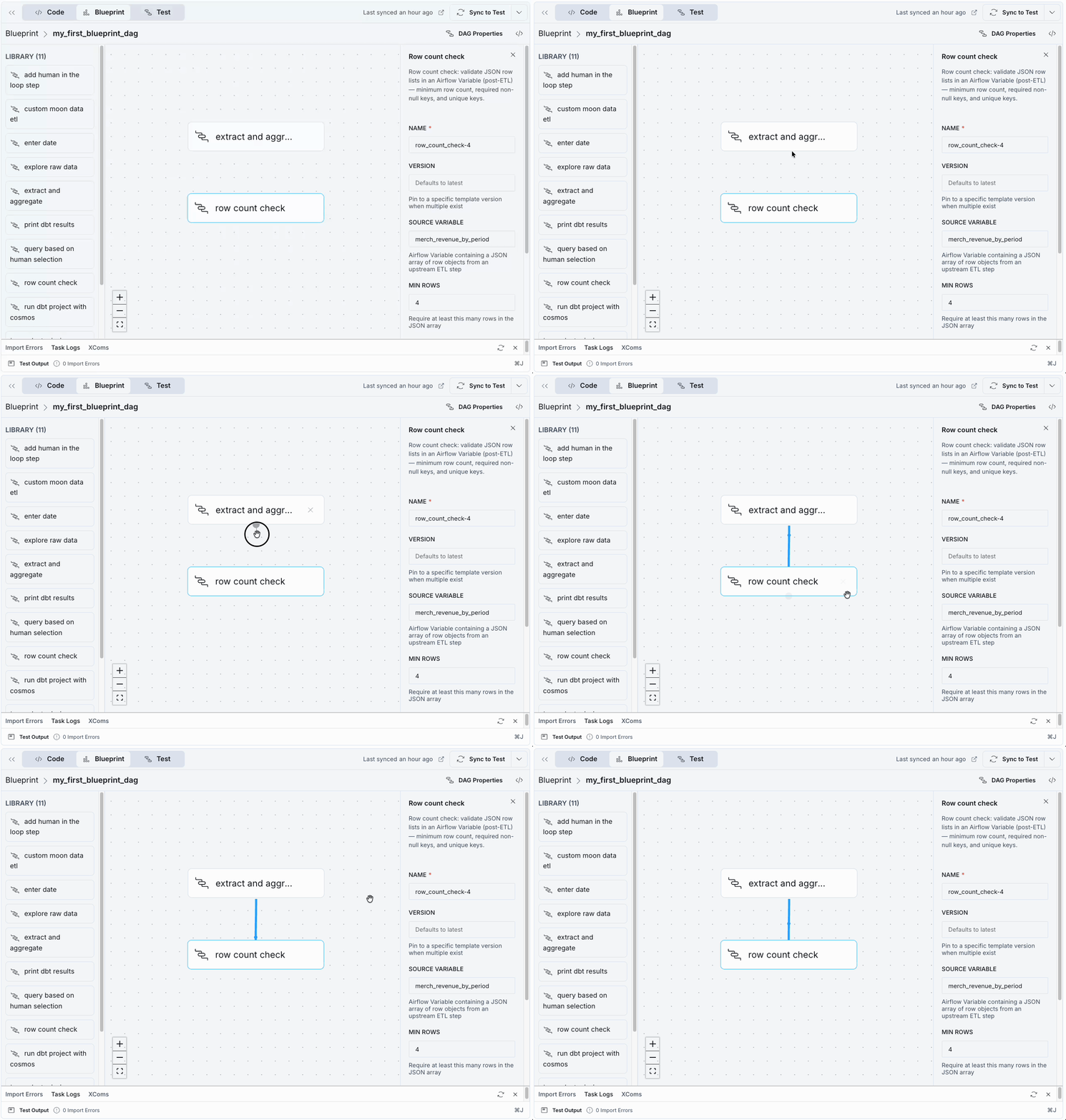
merch_revenue_by_period, the target variable of the first blueprint.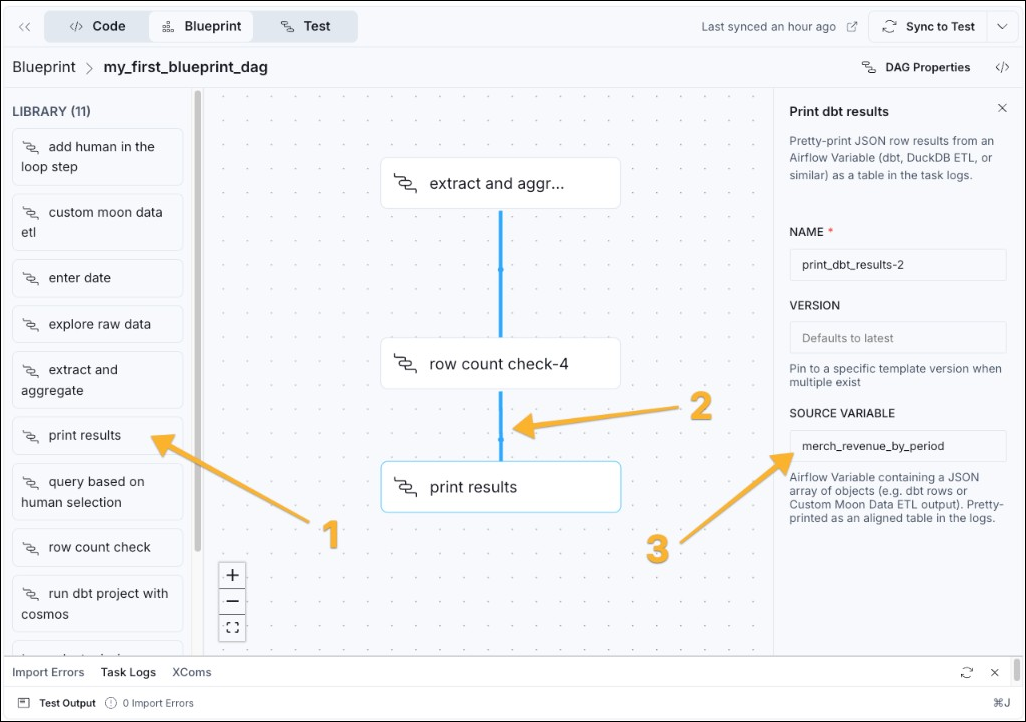
The test Deployment is a fully functional Airflow environment. You can access the regular Airflow UI of your Deployment by clicking on the dropdown arrow next to the Sync to Test button and selecting Open Airflow.
Congratulations! You created an Airflow Dag processing data, performing a data quality check, and printing the results, without writing any Python code! A good next step is to send the How to write blueprint templates tutorial to your data engineering team to write more blueprints for you to use.