

With Service Level Agreements (SLAs) in Astro Observe, you can use monitoring and proactive alerting to help ensure the timeliness and freshness of the data your Apache Airflow pipelines deliver.
This guide covers:
To get the most out of this guide, you should have an understanding of:
Service Level Agreements (SLA) are a set of criteria data has to meet in order to meet a business goal related to a data product. In the context of data pipelines, SLAs are often used to monitor the timeliness and freshness of data. For example, a timeliness SLA might be defined to require that a data product has to be delivered everyday by 9am EST, while a freshness SLA might require that the data in the product is never older than 2 hours.
Depending on your use case, you might want to use Astro Observe to define SLAs to monitor your data product’s timeliness, freshness, or both.
On Astro Observe you can define both, timeliness and freshness SLAs, on your Data Products. After creating an SLA you can set up proactive alerts to get notified when an SLA is at risk of being breached.
To set up an SLA on Astro Observe:
Click on the Overview tab of the Data Product you want to monitor and then on + SLA.
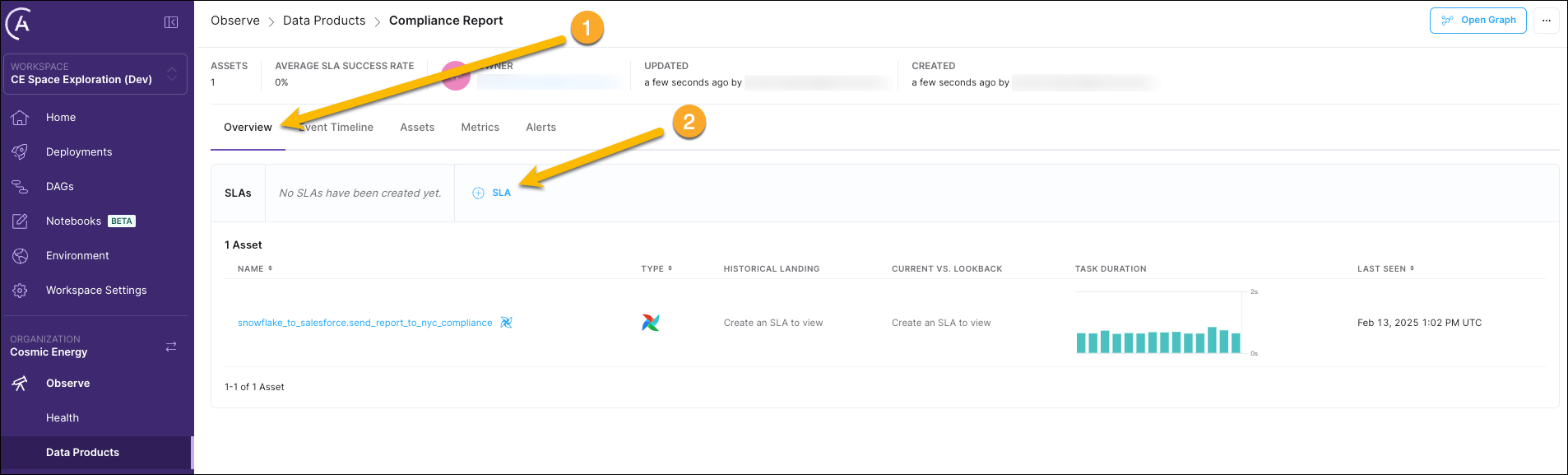
In the drawer that opens, fill out your SLA details:
For a timeliness SLA, define:
For a freshness SLA, define:
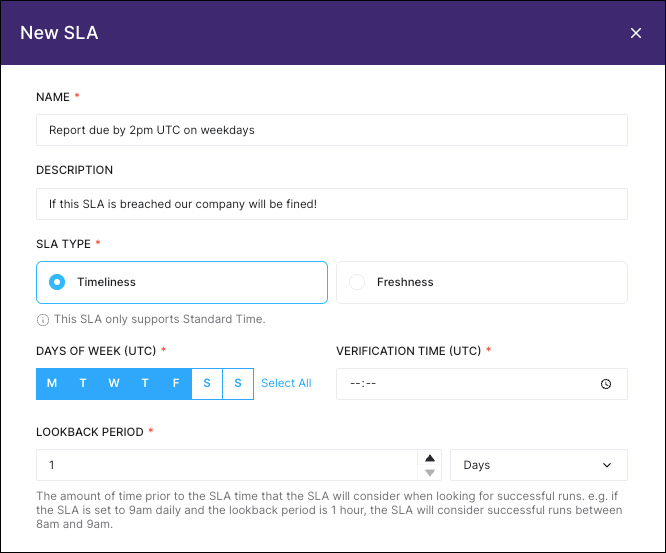
Click Create SLA to save your SLA.
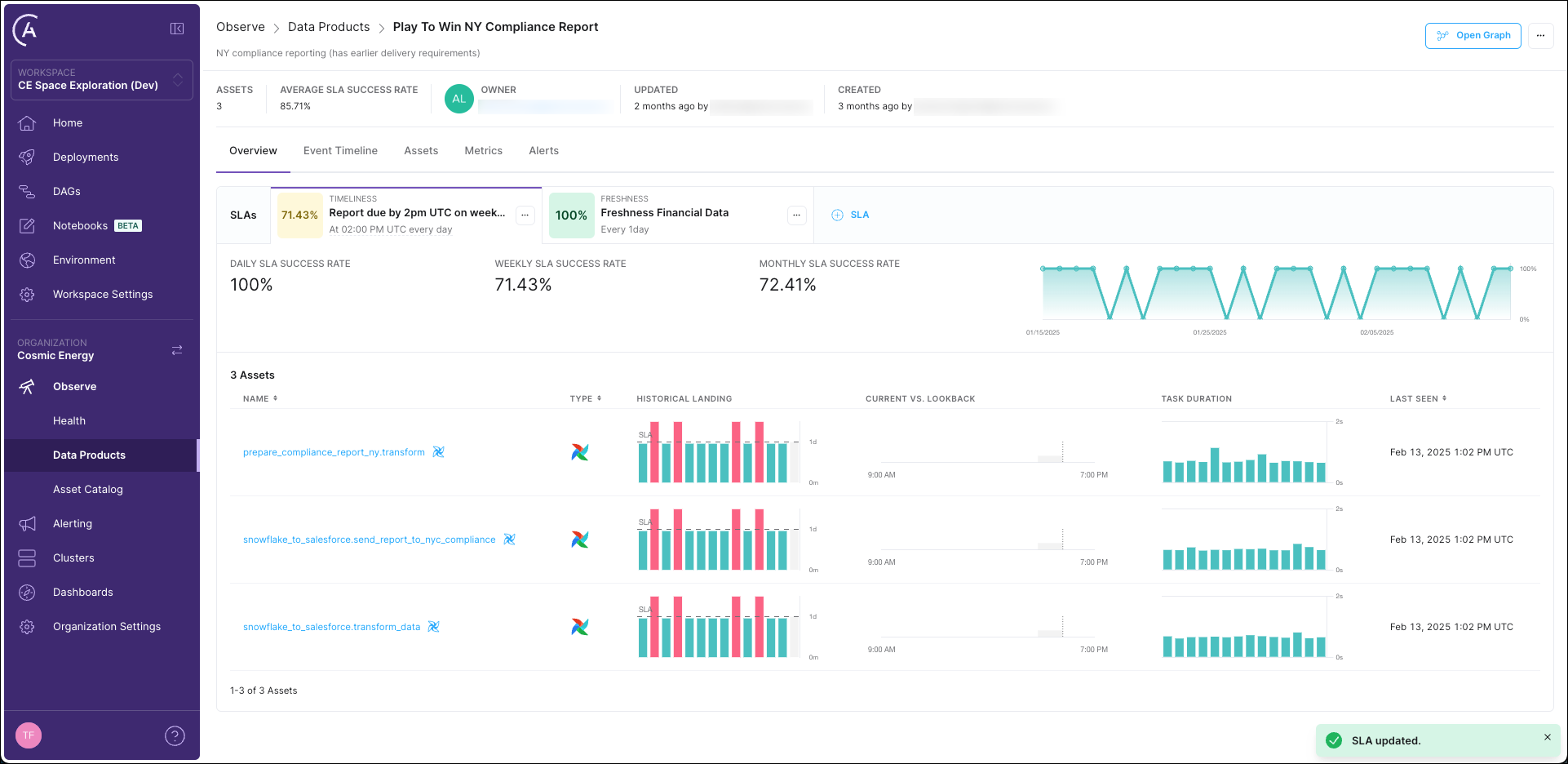
You can see how your data product performed with regards to its SLAs over time in the Overview tab of the Data Product.
For a more detailed tutorial that includes an example project, see Get started with Astro Observe.